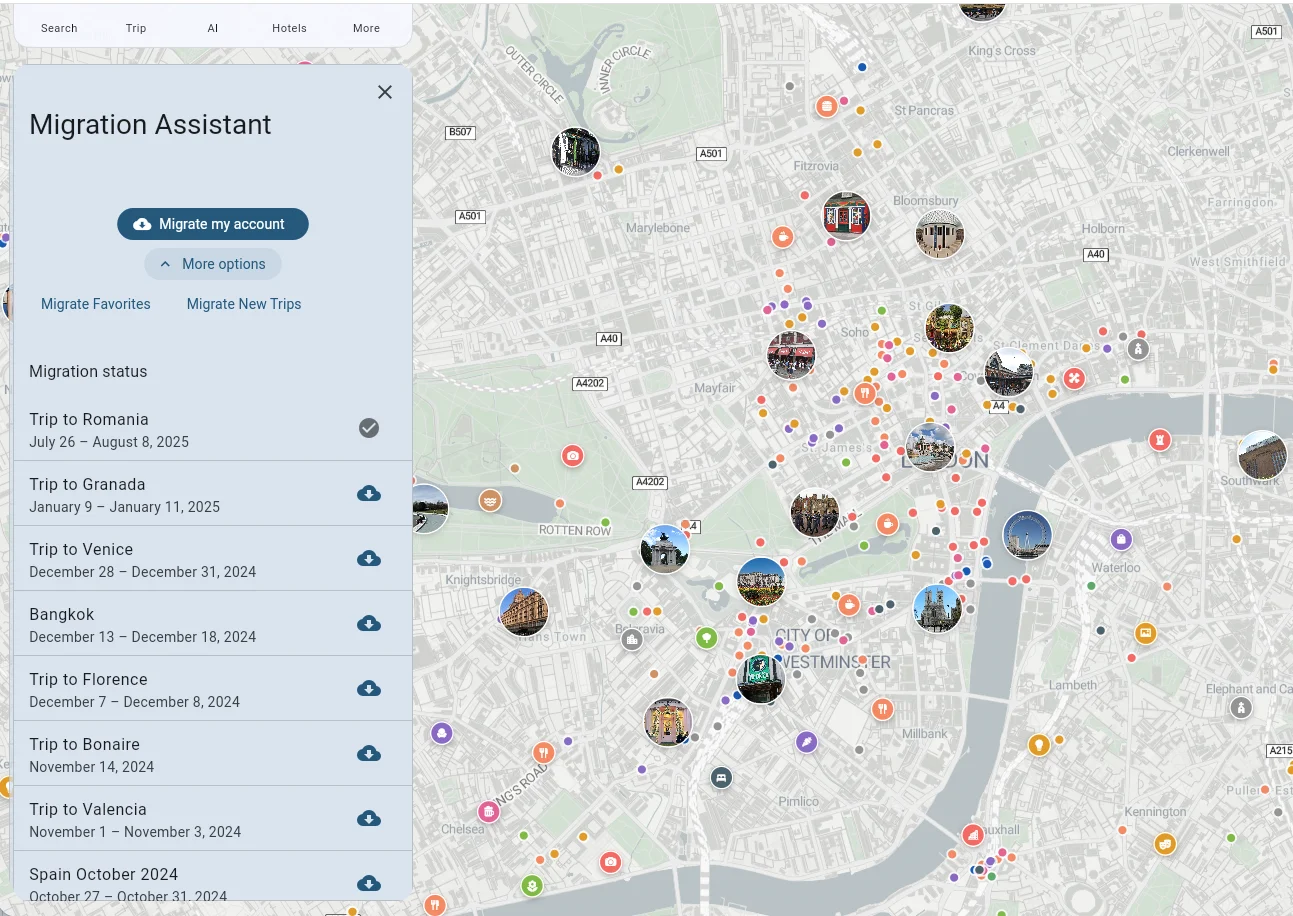
How Do I Access the Migration Assistant?
The Migration Assistant lets you transfer data from the previous version of Tripomatic to Tripomatic 26.
How to Access It
- Open Tripomatic 26
- Go to Settings
- Tap Migration Assistant
What You Can Do
From the Migration Assistant, you can:
- Migrate my account - Transfer everything (settings, favorites, and all trips)
- Migrate Favorites - Transfer only your favorites
- Migrate New Trips - Transfer only trips that haven’t been transferred yet
- Transfer individual trips - Select specific trips to transfer one by one
- Re-transfer individual trips - Select specific trips to re-tranfser